Directory tutorial: search, filters, and favourites

Published 4/6/2026
Updated 5/23/2026
Directory
The directory is your home for discovering businesses and services. Use search, filters, and favourites to build a shortlist you can come back to anytime.
Search
KeywordsSearch works best when you describe what you want in plain language. Start broad, then narrow down with a city or category.
Try keywords like:
name, category, city
Example searches:
hijab London, halal bakery, barber Birmingham
Tip: if you get too many results, add a city or a more specific category.
Filters + sorting
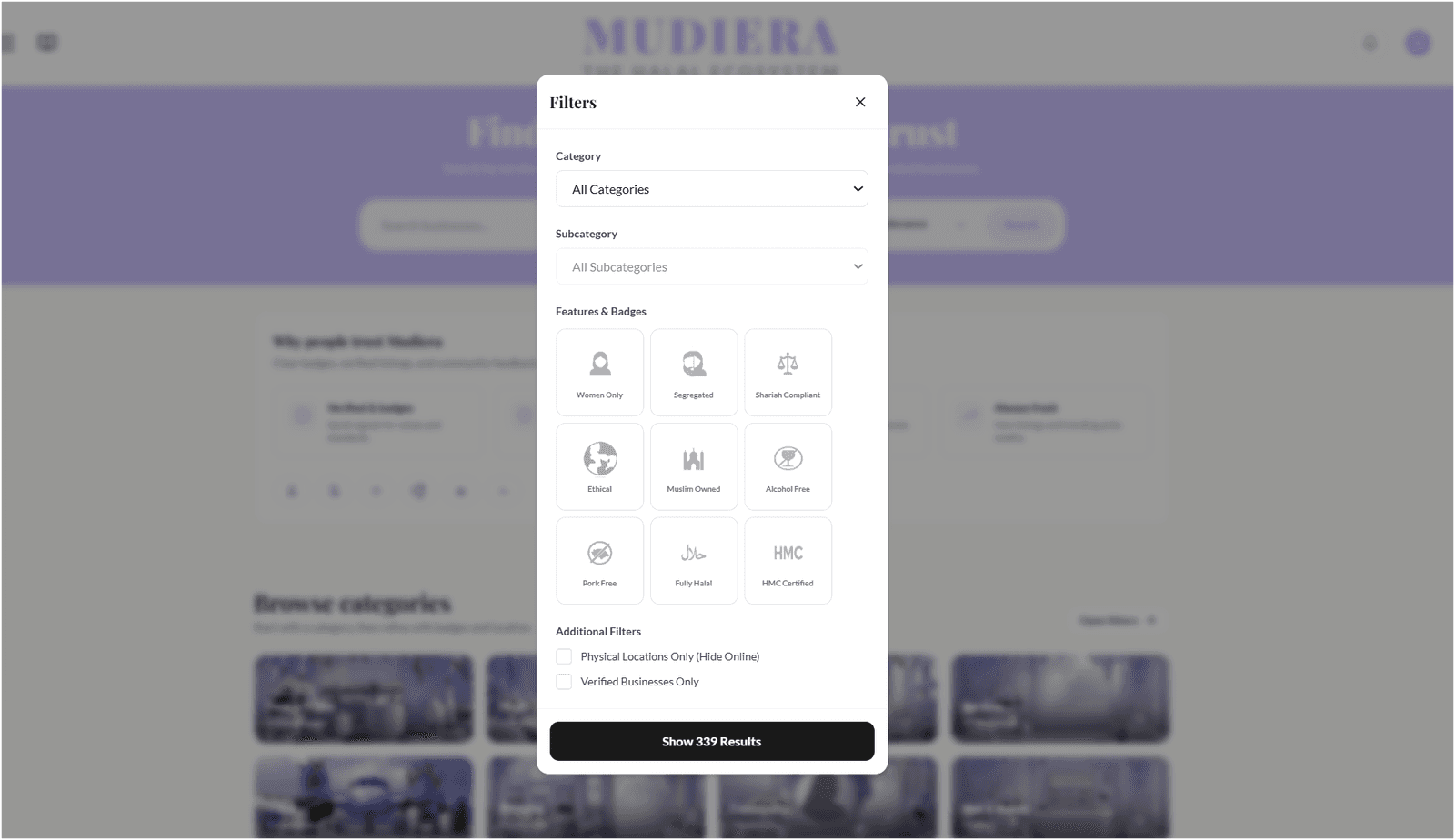
Narrow resultsFilters help you narrow down fast. Sorting helps you decide what to open first (popular, highly rated, or newly added).
Open filters
Tap Open filters.
Choose category and badges
Pick a category, then add any badges that matter to you.
Tip: start with one filter, then add more only if you still see too many options.
Sort your results
Sort by Trending, Top rated, or New this week.
Tip: use Top rated when you want proven favourites, and New this week to discover
fresh businesses.
Save favourites
ShortlistIf you find a business you like, save it so you can come back later without searching again.
Tap the heart ♥ to save a business.
Open your dashboard to see saved favourites anytime.
Tip: favourites are great for comparing a few options before you message or book.
What it looks like
Here’s a quick preview of directory filters:

Discussion
0 replies